Video Gait Analysis1.7
Publisher Description

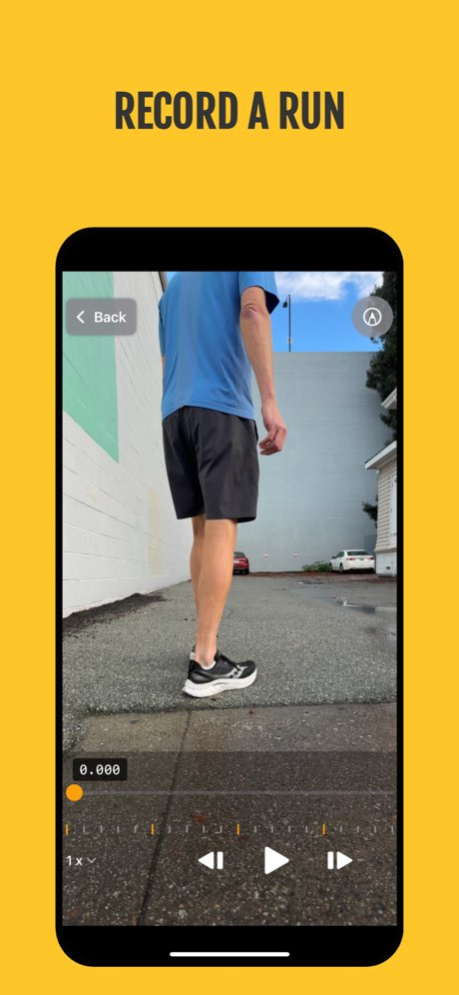
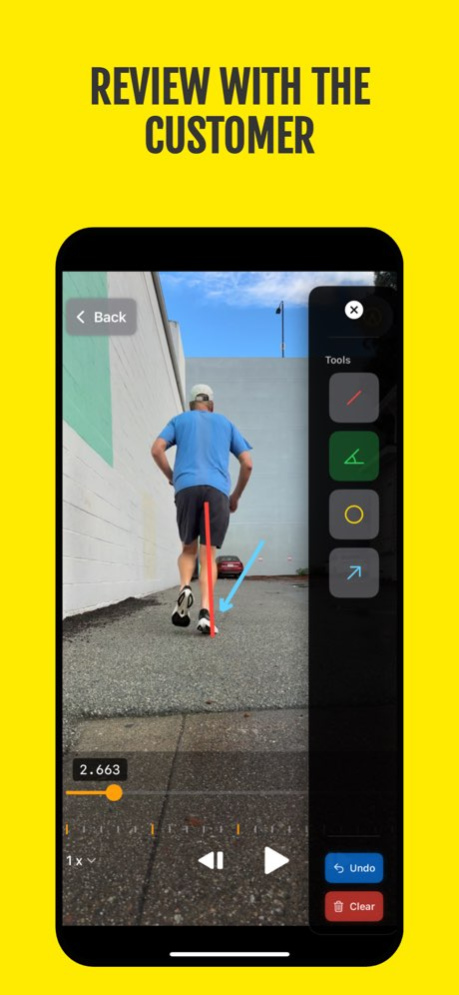
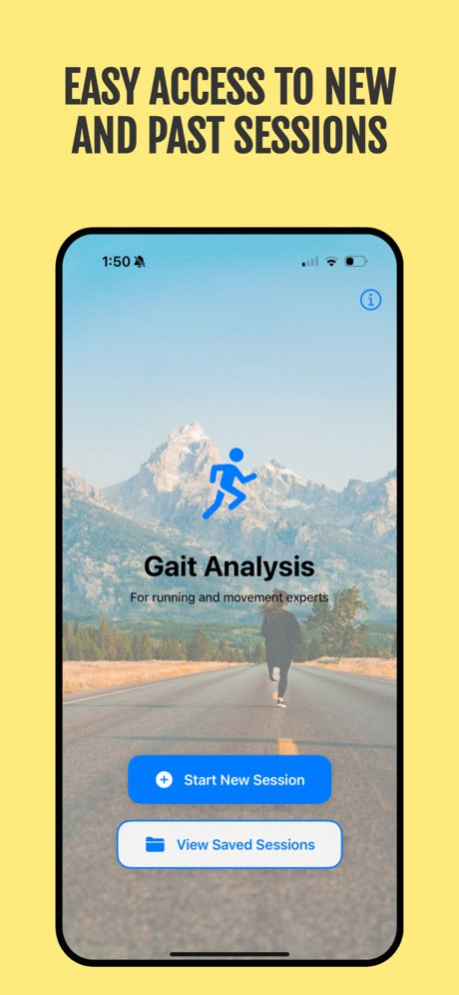
Give your running store the tools it needs to deliver confident, expert-driven gait analysis. GaitAnalysis helps running specialty retailers and performance professionals record, review, and explain running mechanics with clarity-without outsourcing data to the cloud or relying on auto-generated assessments. Every video, every measurement, and every insight stays local and fully under your control.
Designed to keep the workflow simple, reliable, and professional-no automated AI guesses, no cloud dependency-so the evaluation stays exactly where it belongs: in the hands of the experts who know their runners best.
Key Features:
. High-Quality Video Recording - Capture smooth 60fps video of customers running on a treadmill for detailed slow-motion analysis. Recordings run up to 3 minutes - plenty for a fitting, without filling your device - and the app warns you as the limit approaches.
. Professional Analysis Tools - Draw lines, arrows, circles and angles directly on the video to highlight pronation, stride patterns, and form issues. Automatic angle measurement helps quantify over-pronation and supination.
. Marks Anchored to Moments - Each mark appears at the point in the run where you drew it and holds for a few seconds, so several observations don't pile up on screen at once. Drag a marker along the timeline to change when it shows, or pin one as a plumb line that stays for the whole clip.
. Notes That Travel With the Session - Describe what each individual mark shows, and keep your observations separate from your recommendation so the advice never gets buried in a paragraph.
. Precision Playback Controls - Adjust playback speed from 0.125x to 2x, step frame-by-frame, and zoom up to 5x to examine every detail of running form
. A Fitting That Finishes - Saving a session opens it with sharing right there, while the customer is still in front of you. Choose what they get - the video by email, a report, or a copy in Photos - and the app asks only what that choice needs.
. Customer Management - Store customer profiles with contact information, shoe size, and weekly mileage for personalized recommendations and follow-up
. Searchable Session Library - Quickly find past sessions by customer name, email, or phone number. Perfect for return customers looking to compare shoes or track progress.
. Privacy-First Design - All customer data and videos are stored locally on your device. No cloud uploads, no accounts, no subscriptions, complete privacy.
Pro Tools - one optional, one-time purchase. Never a subscription.
. Send the Markup, Not Just the Video - Your marks drawn permanently into the video you share, so the customer sees exactly what you pointed at
. Branded PDF Report - Your shop's name and logo on a report built from the moments you marked: each still captioned in your own words, knee and ankle angles printed as readable numbers, and your recommendation set apart at the end. Look it over before you send it, then email, print, or save it.
. Save to Photos - Keep the annotated video in your camera roll
Everything else stays free. Recording, playback, marking up, timing your marks, measuring angles, writing notes, saving sessions and emailing the video work exactly as they always have.
Perfect For:
- Running specialty stores
- Athletic trainers
- Physical therapists
- Running coaches
- Shoe fitting specialists
Make every interaction count with GaitAnalysis - the professional tool trusted by retailers, trainers, and movement professionals.
----
Terms of Service: https://nigelware.com/legal/gait-analysis/terms-of-service
Privacy Policy: https://nigelware.com/legal/gait-analysis/privacy-policy
https://www.apple.com/legal/internet-services/itunes/dev/stdeula/
Version History Marks now belong to the moment you drew them — and the report finally says what you saw.
• Timed marks - a mark appears where you drew it and holds for a few seconds, instead of covering the whole clip. Drag its notch along the timeline to change when it shows.
• Say what each mark shows - select a mark and tap Note to describe it, or caption them all in one pass from Session Notes after the customer has gone.
• Work on one mark at a time - select it to reshape or move it, pin it as a reference line that stays up for the whole video, or delete just that one without clearing the rest.
• Observations and Recommendation are now separate, so your advice doesn't get lost mid-paragraph. Notes you wrote before this update stay exactly where you put them.
• Your shop's branding - add your name and logo in About, and they appear on anything you hand a customer.
• Straight from saving to sharing - saving a session now opens it with Share right there, instead of sending you back to the home screen to hunt for it.
• Sharing asks what you're handing over - the video, a report, or a copy in Photos - and shows only what that choice needs.
• A quicker start - a name is all it takes to begin a session. Phone, shoe size and weekly mileage are still there when you want them.
• A help screen for the review tools, shown the first time you open them and available from About afterwards.
New in Pro Tools, an optional one-time purchase:
• Your marks drawn into the video you share
• A branded PDF report - each still captioned in your own words, knee and ankle angles printed as readable numbers, and your recommendation set apart at the end. Look it over before you send it.
• Save the annotated video to Photos
Everything you already use — recording, playback, marking up, saving sessions and emailing the video — stays free, exactly as it was. 1.7 Aug 13 Minor bug fixes and performance enhancements 1.6 Apr 23 Added the ability to email session details (including video) to the customer.
- Swipe left on a Session or Open a Session to send. 1.5 Jan 7 1.0 11/17/2025
About Video Gait Analysis
The company that develops Video Gait Analysis is Glen Bentley. The latest version released by its developer is 1.7.
To install Video Gait Analysis on your iOS device, just click the green Continue To App button above to start the installation process. The app is listed on our website since 2026-10-08 and was downloaded 0 times. We have already checked if the download link is safe, however for your own protection we recommend that you scan the downloaded app with your antivirus. Your antivirus may detect the Video Gait Analysis as malware if the download link is broken.
How to install Video Gait Analysis on your iOS device:
- Click on the Continue To App button on our website. This will redirect you to the App Store.
- Once the Video Gait Analysis is shown in the iTunes listing of your iOS device, you can start its download and installation. Tap on the GET button to the right of the app to start downloading it.
- If you are not logged-in the iOS appstore app, you'll be prompted for your your Apple ID and/or password.
- After Video Gait Analysis is downloaded, you'll see an INSTALL button to the right. Tap on it to start the actual installation of the iOS app.
- Once installation is finished you can tap on the OPEN button to start it. Its icon will also be added to your device home screen.
Program Details
System requirements
Download information
Pricing
Version History
version 1.7
posted on 2026-10-08
Version History Marks now belong to the moment you drew them — and the report finally says what you saw.
• Timed marks - a mark appears where you drew it and holds for a few seconds, instead of covering the whole clip. Drag its notch along the timeline to change when it shows.
• Say what each mark shows - select a mark and tap Note to describe it, or caption them all in one pass from Session Notes after the customer has gone.
• Work on one mark at a time - select it to reshape or move it, pin it as a reference line that stays up for the whole video, or delete just that one without clearing the rest.
• Observations and Recommendation are now separate, so your advice doesn't get lost mid-paragraph. Notes you wrote before this update stay exactly where you put them.
• Your shop's branding - add your name and logo in About, and they appear on anything you hand a customer.
• Straight from saving to sharing - saving a session now opens it with Share right there, instead of sending you back to the home screen to hunt for it.
• Sharing asks what you're handing over - the video, a report, or a copy in Photos - and shows only what that choice needs.
• A quicker start - a name is all it takes to begin a session. Phone, shoe size and weekly mileage are still there when you want them.
• A help screen for the review tools, shown the first time you open them and available from About afterwards.
New in Pro Tools, an optional one-time purchase:
• Your marks drawn into the video you share
• A branded PDF report - each still captioned in your own words, knee and ankle angles printed as readable numbers, and your recommendation set apart at the end. Look it over before you send it.
• Save the annotated video to Photos
Everything you already use — recording, playback, marking up, saving sessions and emailing the video — stays free, exactly as it was. 1.7 Aug 13 Minor bug fixes and performance enhancements 1.6 Apr 23 Added the ability to email session details (including video) to the customer.
- Swipe left on a Session or Open a Session to send. 1.5 Jan 7 1.0 11/17/2025
version 1.6
posted on 2026-08-12
Version History Minor bug fixes and performance enhancements 1.6 Apr 23 Added the ability to email session details (including video) to the customer.
- Swipe left on a Session or Open a Session to send. 1.5 Jan 7 1.0 11/17/2025
